VISA - Virtual Infrastructure for Scientific Analysis
Licence: Creative Commons Attribution 4.0 International
Keywords: VISA, compute hardware, remote analysis
Status: Active
Prerequisites:
Learning objectives:
Module 1: PaNOSC Services
• Beginner 2 materialsThis module provides an overview of the Photon and Neutron Open Science Cloud (PaNOSC) and its core services that enable open and FAIR data practices across European research facilities. Participants will learn how PaNOSC integrates data catalogues, remote analysis environments, and APIs to create a connected ecosystem for scientific data management and analysis. The module highlights how these services—such as the PaN Data Portal, VISA, and training platforms—support researchers in accessing, analysing, and reusing experimental data across facilities.

Module 2: First Steps in VISA
•• Intermediate 3 materialsThis module guides participants through the initial steps of using VISA (Virtual Infrastructure for Scientific Analysis). It introduces the platform’s interface, key functionalities, and access options. Participants will learn how to log in, navigate the VISA dashboard, and launch their first compute instance within the secure PaNOSC analysis environment. The module also explains how VISA connects to facility data sources and how its browser-based interface simplifies access to high-performance computing resources without complex setup or installation.
Learning Outcomes:
After completing this module, participants will be able to:
1. Access the VISA platform and understand authentication and user roles.
2. Navigate the VISA interface and locate essential features and tools.
3. Launch and configure a compute instance for data analysis.
4. Understand how VISA integrates with data services from PaNOSC facilities.
5. Identify where to find help, documentation, and support resources.
-
slides
Virtual Infrastructure for Scientific Analysis (VISA) Workshop
VISA expands PaNOSC remote data analysis services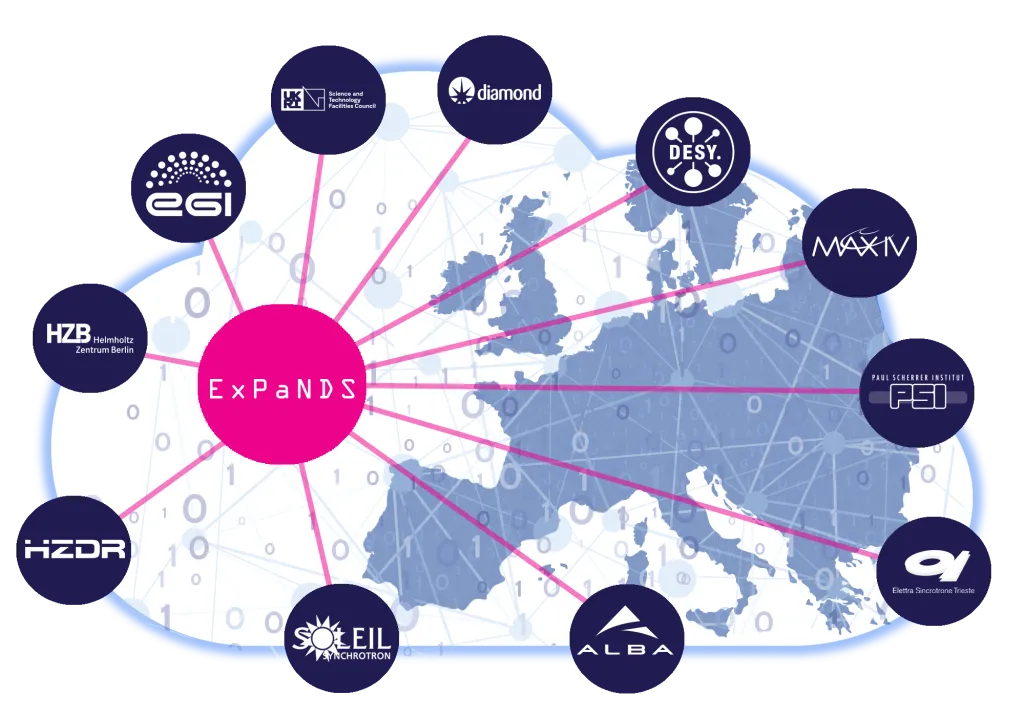
-
workflow
Containerized Serial Crystallography “CrystFEL” VISA workflow
crystallography CrystFEL Serial crystallography pulsed X-ray beam VISA
-
video
Access tomotools from visa.esrf.fr
tomography tomography tomotools nabu VISA
Module 3: Using VISA for Data Analysis
••• Advanced 0 materialsIn this module, participants will learn how to perform data analysis within VISA (Virtual Infrastructure for Scientific Analysis) using integrated tools such as JupyterLab and other supported environments. The module demonstrates how to connect VISA to experimental datasets stored at photon and neutron facilities, run analysis workflows, and visualize results directly in the browser. Participants will also explore how to save, share, and reproduce their analysis within the VISA ecosystem, fostering open and collaborative research practices.
Learning Outcomes:
After completing this module, participants will be able to:
1. Use VISA’s integrated environments (e.g., JupyterLab) to run data analysis workflows.
2. Access and load experimental data from facility repositories into their compute instance.
3. Execute, visualize, and interpret analysis results within VISA.
4. Manage files, outputs, and environments to ensure reproducibility.
5. Save and share analysis sessions or results with collaborators.
6. Understand best practices for efficient and sustainable use of VISA resources.
Activity log
